Topic
This article describes how program participants can remove and reset their Microsoft Azure setups prior to transitioning to the Datto Continuity for Microsoft Azure Early Access Program.
Environment
Datto Continuity for Microsoft Azure (DCMA)
Description
Under what circumstances should I reset my Microsoft Azure environment?
We recommend all returning participants in the Azure Alpha Trial complete the following steps. You should not need to delete any of the VM or networking resources that were previously created and associated with your production system.
Procedure
1. Log in to the Microsoft Azure environment you used for the trial.
2. Navigate to the Enterprise Applications page and locate the Datto Application you used in the trial.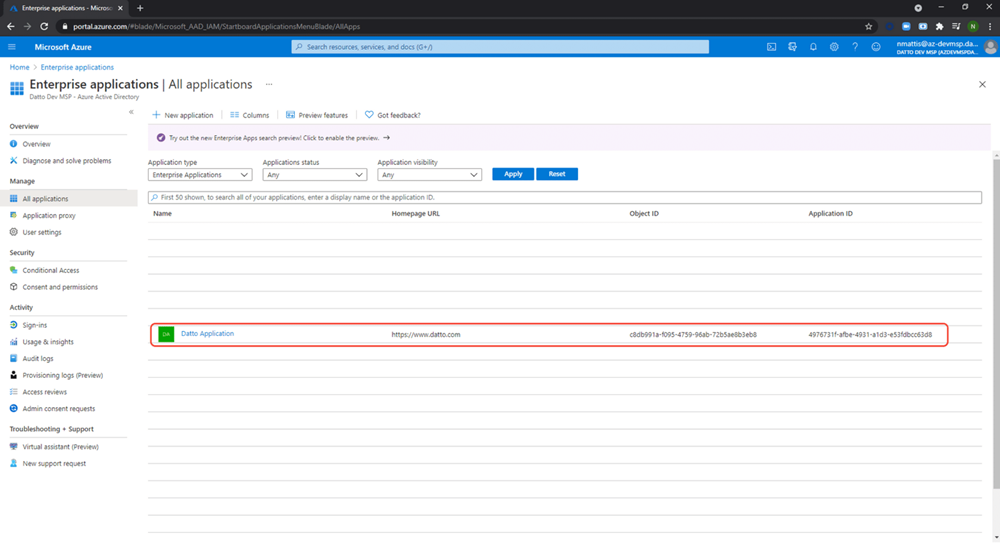
Figure 1: The Enterprise Applications page in Microsoft Azure
3. Delete the Datto Enterprise application.
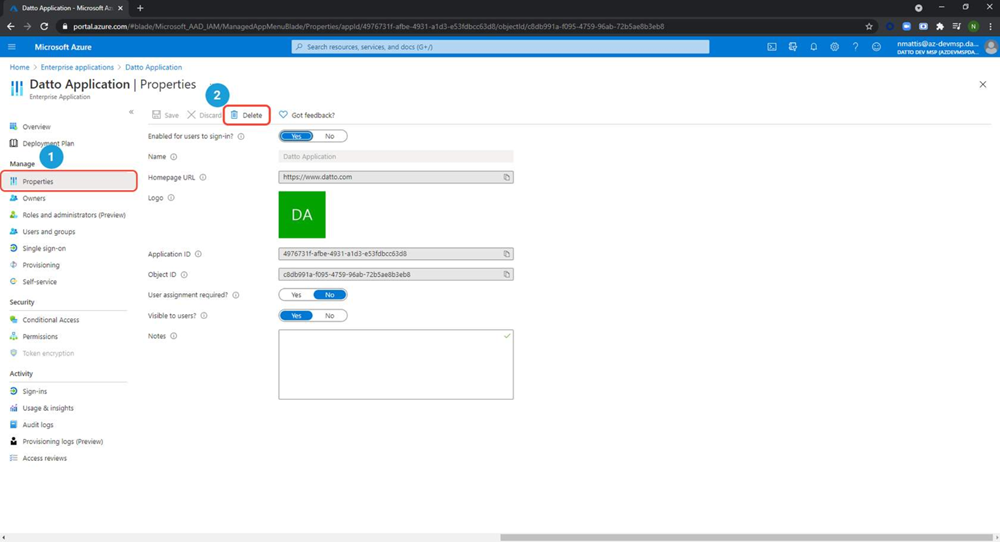 Figure 2: The Microsoft application
4. Navigate to the Access Control page, then click Role Assignments and delete the Datto role. 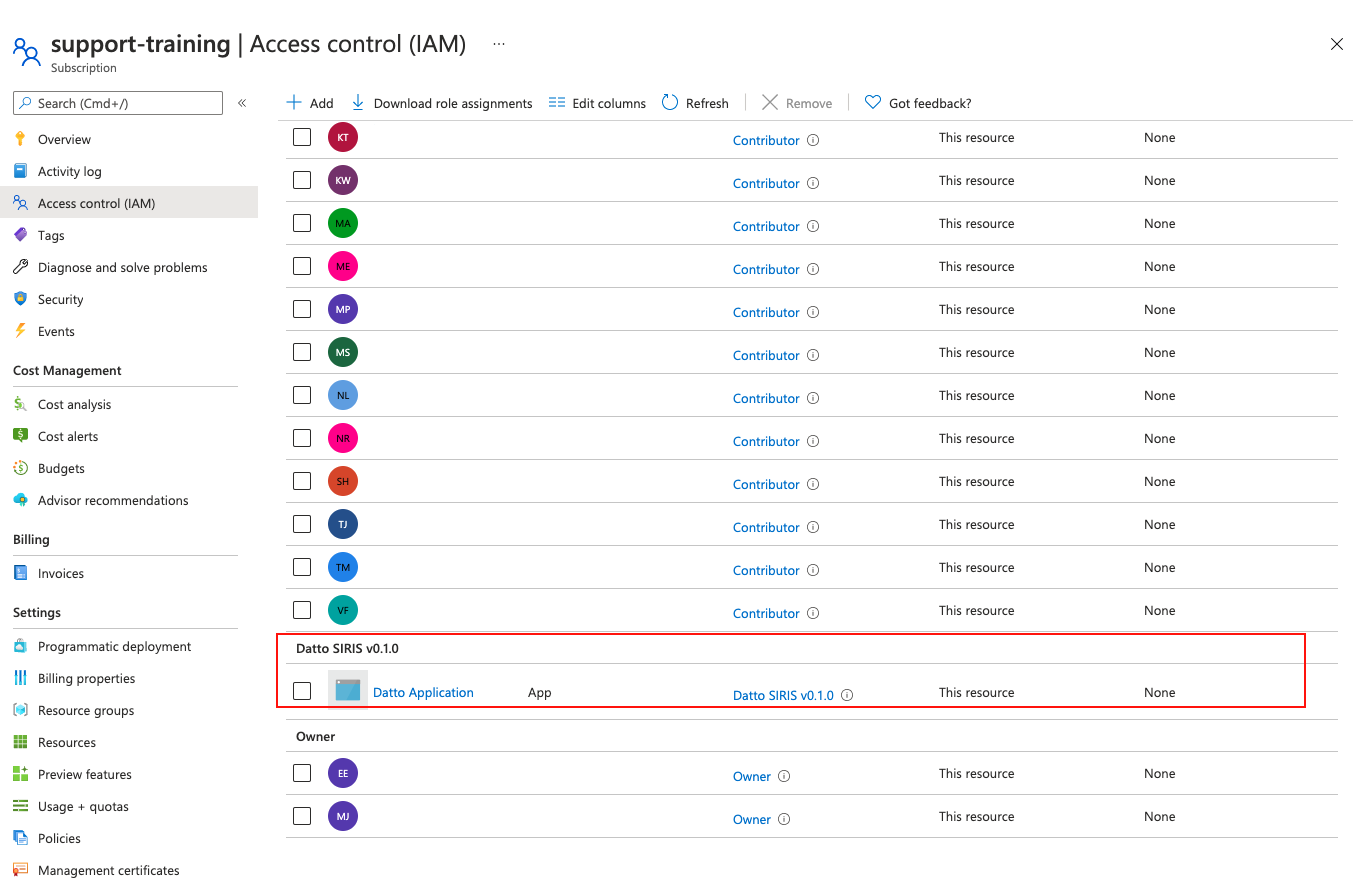
Figure 3: Role Assignments
4. Check the list of role assignments for a Datto SIRIS v0.1.0 object with the description "Identity not found. Unable to find identity". Delete this object if it is present.

Figure 4: Datto SIRIS object, Identity not found
Do not attempt to pair any VM that was a test or restore VM from a previous Alpha trial phase.
Other Prerequisites
For changes to your test environment resources, see the Pre-registration requirements page.
Additional Resources
Assign Azure roles using the Azure portal (external link)